
Ciao-ciao and hi-hi, all, here as well now! 😊🌿
It looks like it was much fun to play with creating a custom Certificate of Completion for the super-mega-hyper-"brand-new" Intercultural Pragmatics & Communication Moodle course in Canva and with incorporating it into the course itself for somebody here now too 🏅🌍.
I originally designed the certificate in Canva because, - as, probably, all of us, - I certainly wanted it to feel professional, visually engaging, and (in this particular case) connected to the intercultural communication theme of the course 🎨🌎. While creating the design, I was experimenting much with selecting different colors, symbols, images, and layout elements that would reflect collaboration, global communication, diversity, and learner achievement 🤝💬🌱.
The certificate includes intercultural visual elements such as globes, communication symbols, diverse learner silhouettes, and academic design features to create a meaningful and motivating final achievement for learners 📖🌍✨. I also couldn't but pay attention to readability, spacing, balance, and accessibility so that the certificate would display clearly within Moodle and provide a positive learner experience 💻📱🌸:
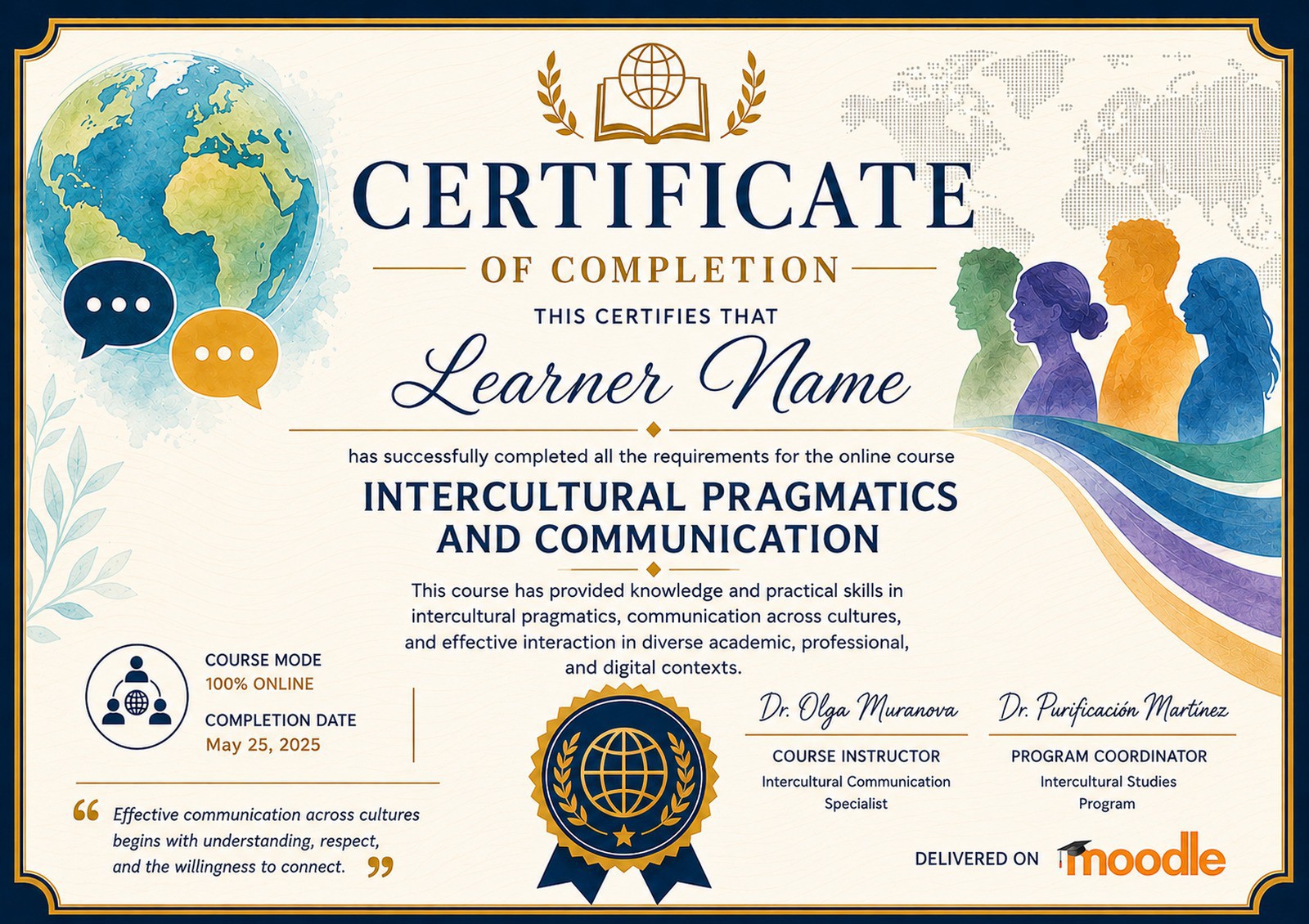
After completing the design in Canva, I optimized the certificate image for Moodle integration and uploaded it as the custom certificate background in Moodle, as we guess... 🖼️⚙️ I then configured the certificate settings, added learner name elements, adjusted placement and formatting, and connected the certificate to course completion requirements 📚🏆.
As we've discussed before, in this case, learners are supposed to receive the certificate of completion only after they successfully complete all required activities and learning tasks from all six weeks of the course 📝🌍. Choosing this approach was important to me because I wanted the certificate to represent active participation, intercultural learning, reflection, collaboration, and meaningful engagement throughout the entire learning journey, yep 💡🌱.
We can assume that the video-walkthrough demonstrating the process of incorporating that certificate of completion created in Canva into we can easily guess what Moodle course is ready to say hi below by this time as well 🥳😊:
In the video walkthrough, I demonstrate:
• the Canva certificate design 🎨✨
• the Moodle custom certificate setup ⚙️💻
• how I uploaded and adjusted the certificate background 🖼️🌸
• how I added learner completion elements 📚🏅
• and how the certificate is connected to course completion restrictions and requirements 🌿📖
This activity helped me better understand how certificates can support learner motivation, recognition, and a sense of accomplishment in online learning environments 🌍💬. It also reminded me that thoughtful design and clear completion pathways can contribute to a more supportive and engaging educational experience, yep 🌱🌟.
Kudos and merci bien in advance for watching this (still shorter 😉🙂) mega-super-"freshly-baked" video-walkthrough if you'd be interested in that as well, and I look forward to seeing everyone else’s creative certificate designs and Moodle ideas soon as well 😊🌷.
"See" you all (mostly) in some next activities included in this highly "creatively immersive" virtual learning journey around the highly intriguing world of course design in Moodle already pretty soon from now hopefully for sure too and cheers! 🍰🍧🍩🍨
Tons of fresh Moodle-/Canva-powered and Moodle-/Canva-inspired highly "creatively stimulating + enlightening" pre-summer weekend sunny vibes and fluids 🌈⛵🚤🌄,
Olga.