Comparing Student vs. Teacher Profiles: A Walkthrough

Comparing Student vs. Teacher Profiles: A Walkthrough

by Hurraira Adrees -
Number of replies: 1

Dear Dr. Nellie and Fellow Participants,

For this Week 2 activity, I have explored the functional differences between my profile as a student in our current course and my profile as a teacher in my own practice area.

Walkthrough Video:

In this video, I demonstrate how the teacher role provides the " Reports..." feature, which is essential for testing activities before students see them. I recorded this walkthrough usingΒ Filmora 15.

https://drive.google.com/file/d/1WXT14vemdpU96QcryJmzhxmD3enlCknp/view?usp=sharing

Reflections on the Process:

Navigating these two roles side-by-side helped me realize how much control a teacher has over the learning environment. As a student, the interface is streamlined for consumption, but as a teacher, the extra tools (like the reports) provide the "precision" I am used to in my professional background in radiology. I feel much more confident now knowing I can verify the student experience before I go live with my own content.

YouTube Interaction:

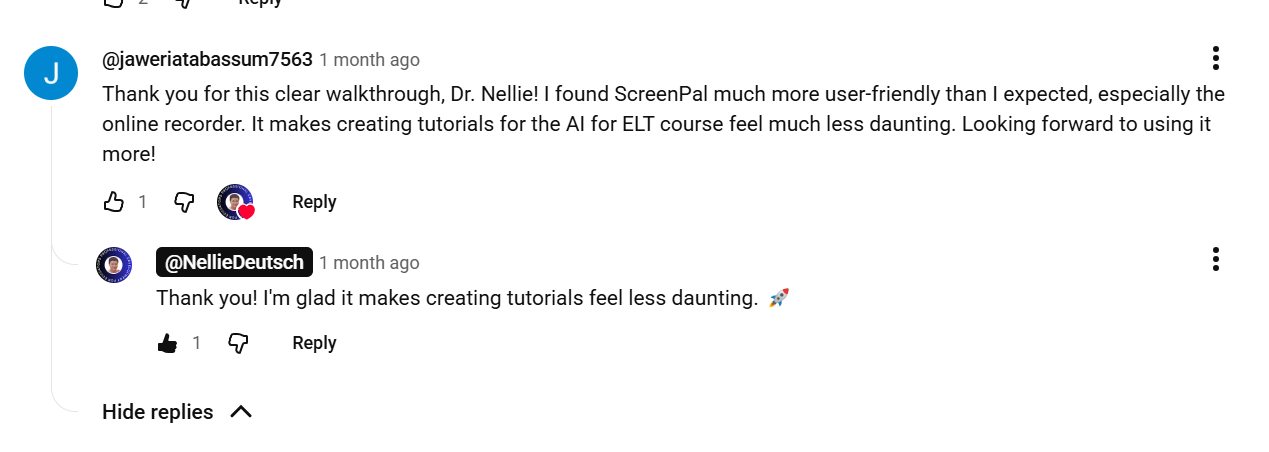
I have watched the tutorials for this week and shared my thoughts in the comments. Here is the screenshot of my interaction:
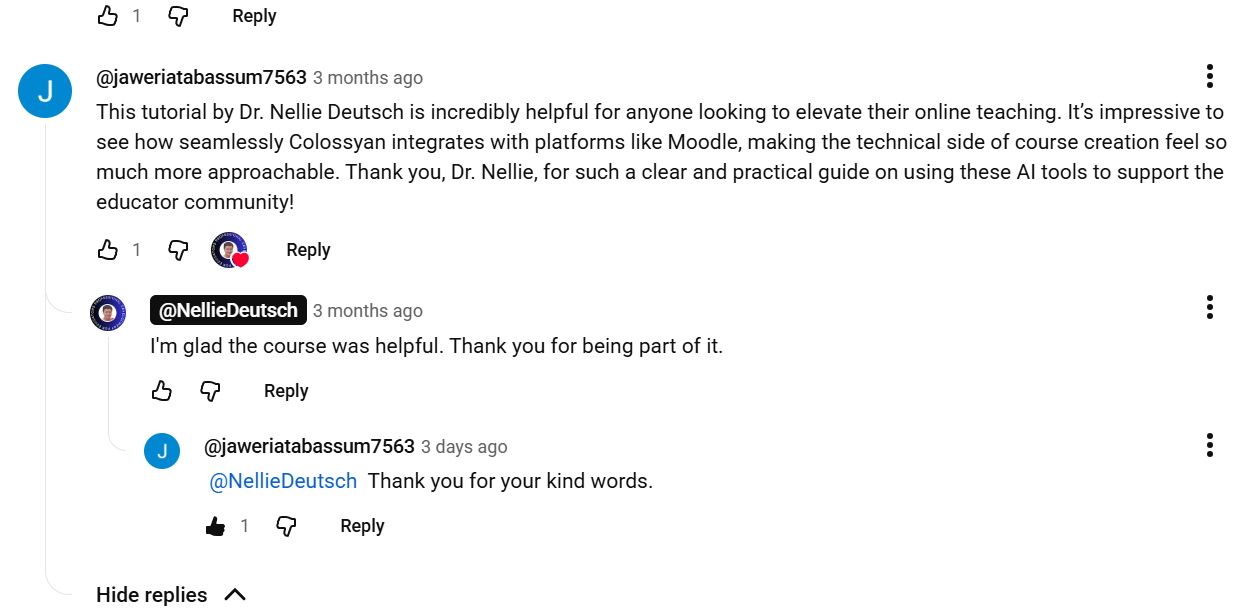
1st YouTube Video Comment

2 nd youtube Video Comment

3rd YouTube Video Comment

4th YouTube Video Comment

I look forward to seeing how everyone else is setting up their teacher profiles!

Warmly,Β 

Jaweria

In reply to Hurraira Adrees

Comparing Student vs. Teacher Profiles: A Walkthrough

by Dr. Nellie Deutsch -

Hi Jaweria,

Thank you for sharing your thoughtful walkthrough video and reflection on the different Moodle roles. Your presentation clearly demonstrated the contrast between the student and teacher experiences in a very organized and engaging way. I especially appreciated how you highlighted the streamlined student interface with tools such as grades, preferences, and accessibility, which help learners stay focused on their learning journey and academic progress.

You also provided an excellent explanation of the teacher perspective and the importance of administrative features such as reports and the β€œSwitch role to…” option. Your discussion about viewing the course through the eyes of a student was particularly important because it shows how educators can carefully test activities and ensure that everything functions smoothly before releasing content to learners. This demonstrates strong attention to detail and a learner-centered approach to course design.

Your reflection connected very well to your walkthrough video. I liked how you related the concept of β€œprecision” to your professional radiology background, showing how your previous experience influences the way you approach online teaching and course management. Your growing confidence in verifying the student experience before going live with course materials reflects excellent professional practice and a strong commitment to quality learning experiences.