
In this task, you will use AI to create the Moodle activities by sharing your course title, target audience, and the labels of your six sections, and asking for ideas on what Moodle activities (share the ones listed below with the bot) to include and where to place them.
You may find Enter.Pro (Giveaway) useful. Please add your comments.
You will then add all relevant activities into your course sections under the resources that are already there in your Moodle course, making sure each activity will prepare students to the next resource and activities.
Finally, you will create a walkthrough video of your course activities using tools such as Colossyan, Filmora, or ScreenPal. You will upload the video to YouTube as unlisted or share it via Google Drive and post the link in the forum.
Instructions
- You now have labels for the 6 sections of your course.
- Go into Develop Online Courses and ask about each of the Moodle activities and/or use the AI tools listed below.
- Share your course title, the audience, and labels of the 6 sections with the bot listed below. Ask the bot for ideas on what you can include under each of the resources that are already there and in which section to place the Moodle activities.
- Add all the activities available in your Moodle course under the resources that are already in the 6 topic sections you labelled.
- Go over the activities available in your Moodle course (see an image of the list below) that you would like your students to do after viewing the resources that are already there.
- Check out the Ai tools in the image below and choose the ones that are suitable for your activities.
- Go into "Edit mode" and turn it on.
- Go into +Add an activity or resource
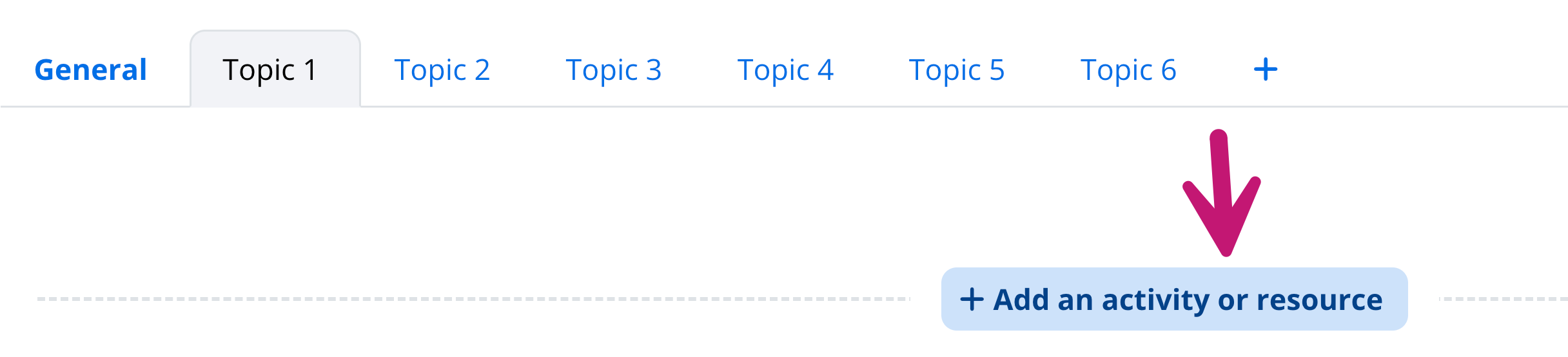
- Choose your activity from the list of recommended ones or search for it. Use only the activities listed in the image below. If you choose Scorm, only use Colossyan to generate it for you.
- Complete each of the activities by adding:
-
- a description
- step-by-step instructions
- forum type:

- attachments: uploads not allowed
- Ratings: Maximum grade and a grade out of 100 in the rating and passing grade.
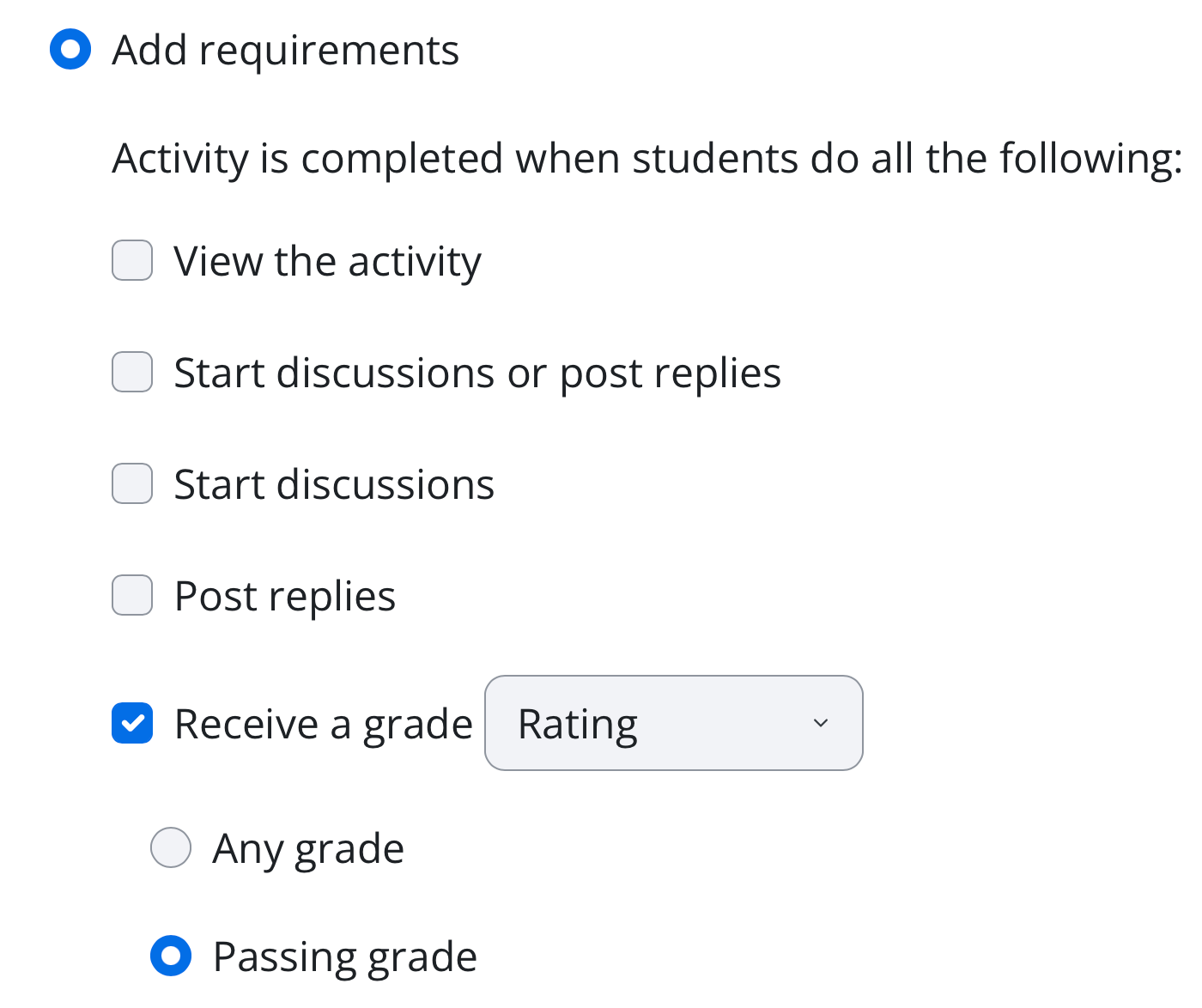
- Completion conditions: Add requirements. Receive a grade. Passing grade
-
- Each activity must include a short instruction or explanation (but do not tick to display)

- Each activity must have a clear purpose related to the resource it requires to be viewed.
- The activities must be placed in a logical order.
- All the activities must have "Completion conditions" with a passing grade.
- Save and display.
- Create a walkthrough video using Colossyan, Filmora 15, or ScreenPal to take us on a tour of your activities and the completion conditions that require a passing grade.
- Upload the video to YouTube and share as unlisted, and paste the link or upload to Google drive, go into share and make unrestricted and viewable by anyone who has the link, copy the link and paste the link of the video.
AI tools to Assist with Information and in Generating Moodle's Activities
| Moara (Giveaway) | ||
| Colossyan (Giveaway) |
Enter.Pro (Giveaway) |
Use the following Moodle activities
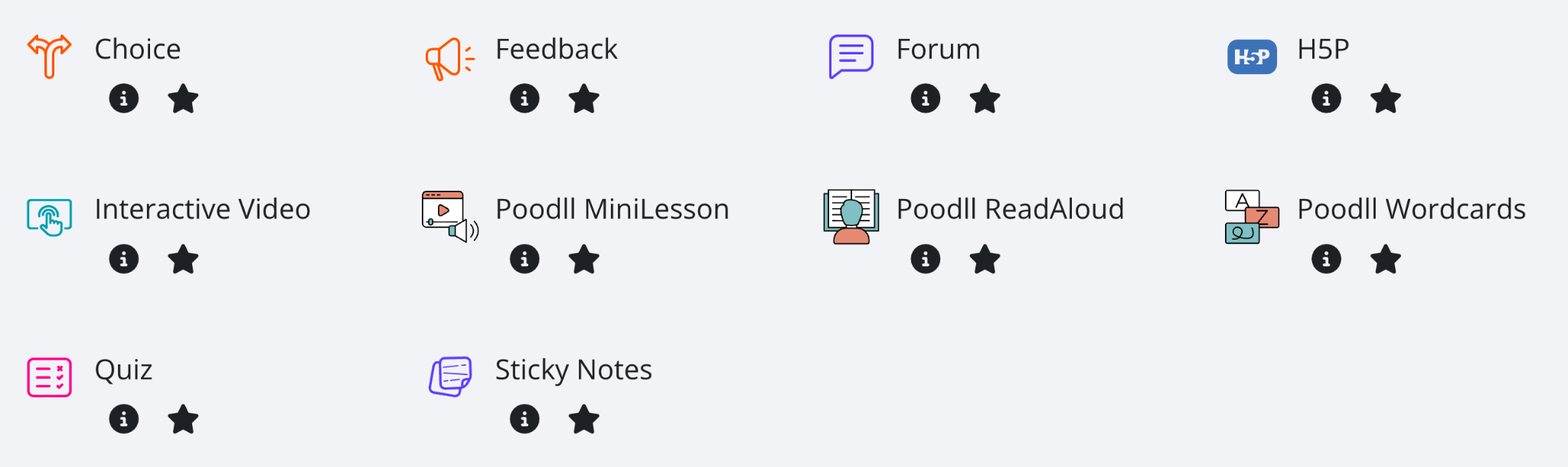
- Choice
- Feedback
- Interactive Video Enter.Pro (Giveaway)
- SCORM package Colossyan (Giveaway)
- Forum
- H5P (optional if it takes too much time)
- Poodll MiniLesson (optional if it takes too much time)
- Poodll ReadAloud
- Poodll WordCards
- Quiz Enter.Pro (Giveaway)
- Sticky Notes
- Receive a grade
- Receive a passing grade