
You're doing amazing work in your course, Rasha.
This comment is for everyone. Please check to make sure the completion conditions are configured to what you'd like your students to be able to do.
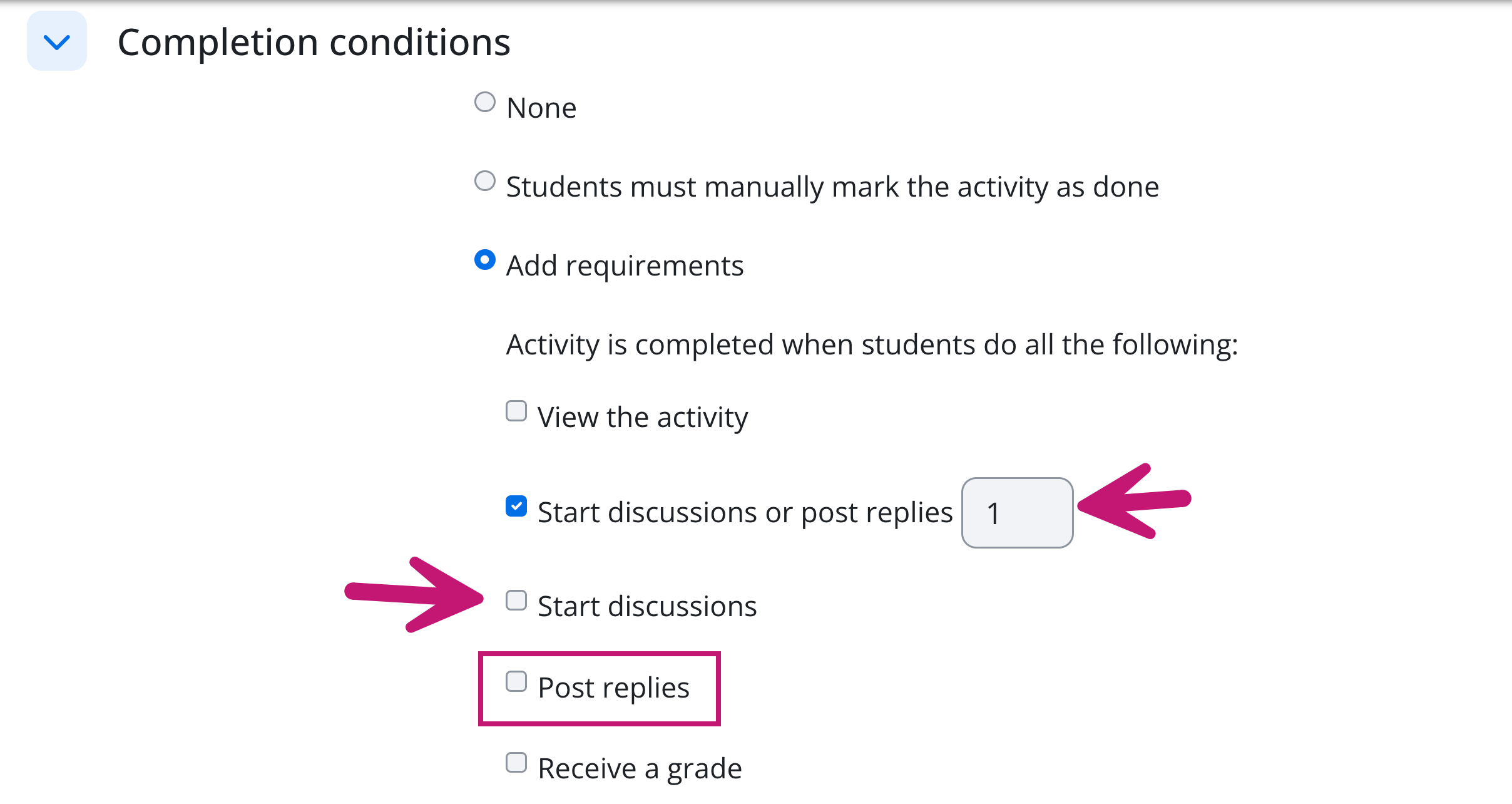
Leaving the completion conditions as configured in the image creates a flexible, combined path for the students to trigger automatic completion.
The consequences for assessment on an introductory task include:
The checkbox for "Start discussions or post replies" is selected with a value of 1. This means Moodle will mark the activity as complete when a student does either one of those actions. A participant can complete the task by only starting a discussion or only replying to someone else.
Because "Start discussions" and "Post replies" are unchecked below it, Moodle will not require a student to do both. If your assessment criteria or rubric requires them to introduce themselves and respond to a peer, this setting will not enforce that structure. A student who only posts an introduction without replying, or who only replies to a thread without making their own introduction, will still see a green completion checkmark.
The "View the activity" box is unchecked. While this is redundant once someone posts, leaving the individual action boxes unchecked means you cannot track students who only logged in to read the introductory posts without interacting.
Can you share the link once again so others can see your work.
Thank you.
Nellie